
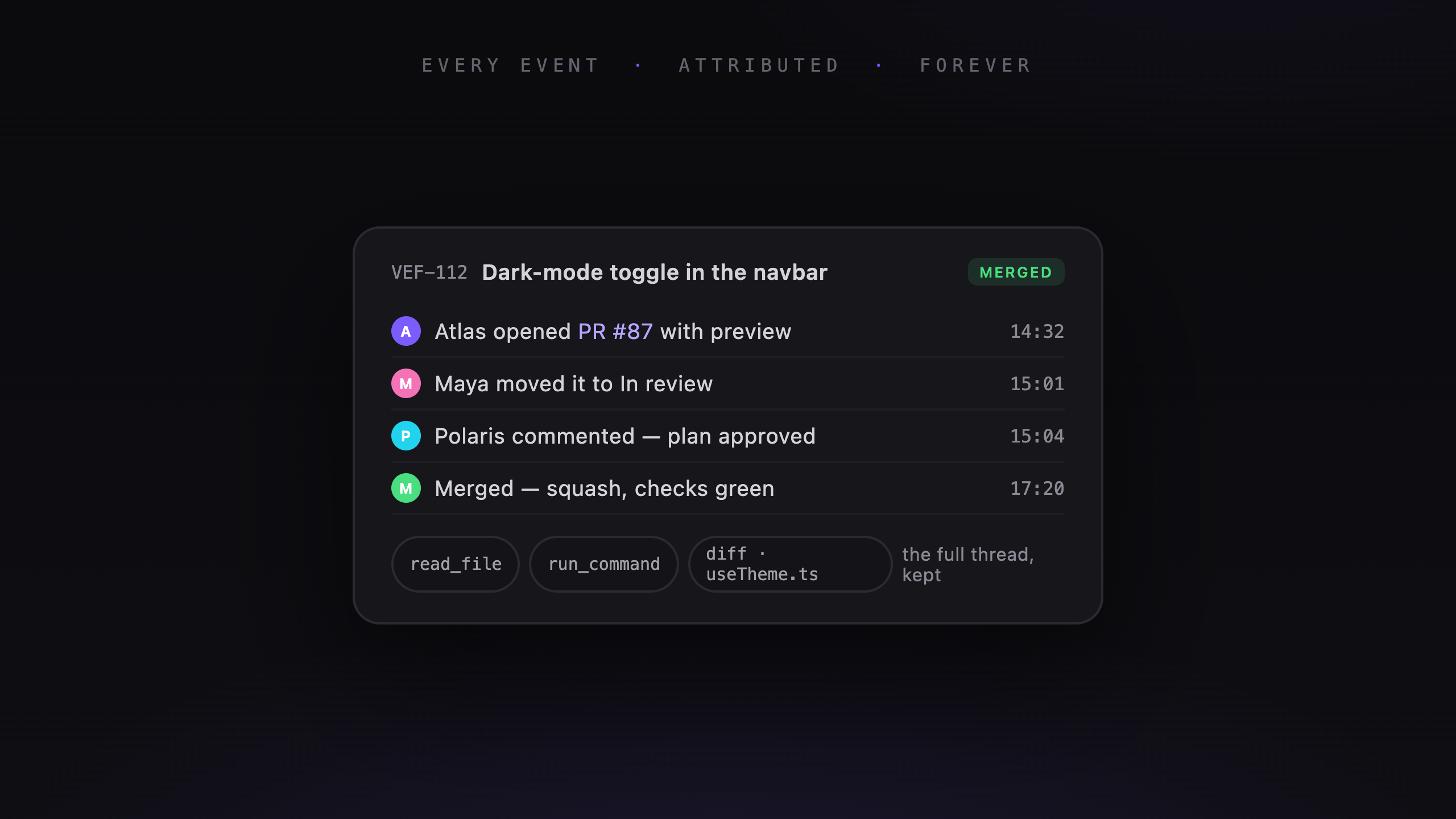
A diff shows what changed. It doesn't always explain why the agent chose that approach or what it tried first.
Veflow keeps the task's activity feed and agent conversations together. You can skim the events or open a run to read the details.
The activity feed
The feed records task events with a timestamp and an actor:
- Comments from Veflow and the connected GitHub PR.
- Status changes, including who moved the task.
- Agent runs and their results.
- PR events, such as opening or merging a change.
An agent opening a PR and a teammate moving the task into review appear on the same timeline.
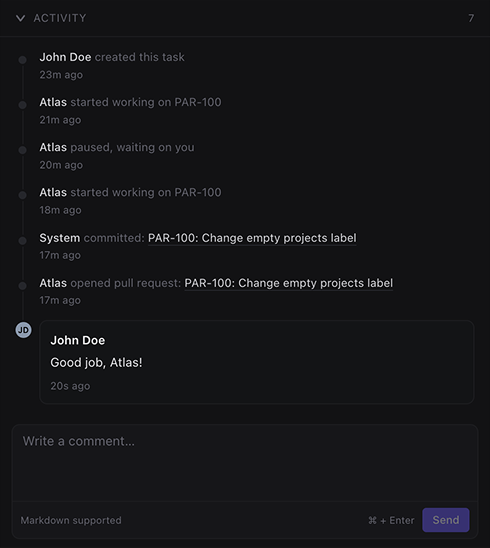
Task events show who acted and when.
Unread markers help you catch up after time away. The dashboard combines activity across the workspace so you can see progress without opening each task.
The agent conversation
Each run keeps the messages and tool output that appeared in its thread:
- Your instructions and the agent's replies.
- The plan it proposed.
- Commands and file operations.
- Inline diffs.
You can return to an older task to check an assumption or find an unsuccessful approach. Desktop Claude Code sessions are also captured per worktree for later browsing.
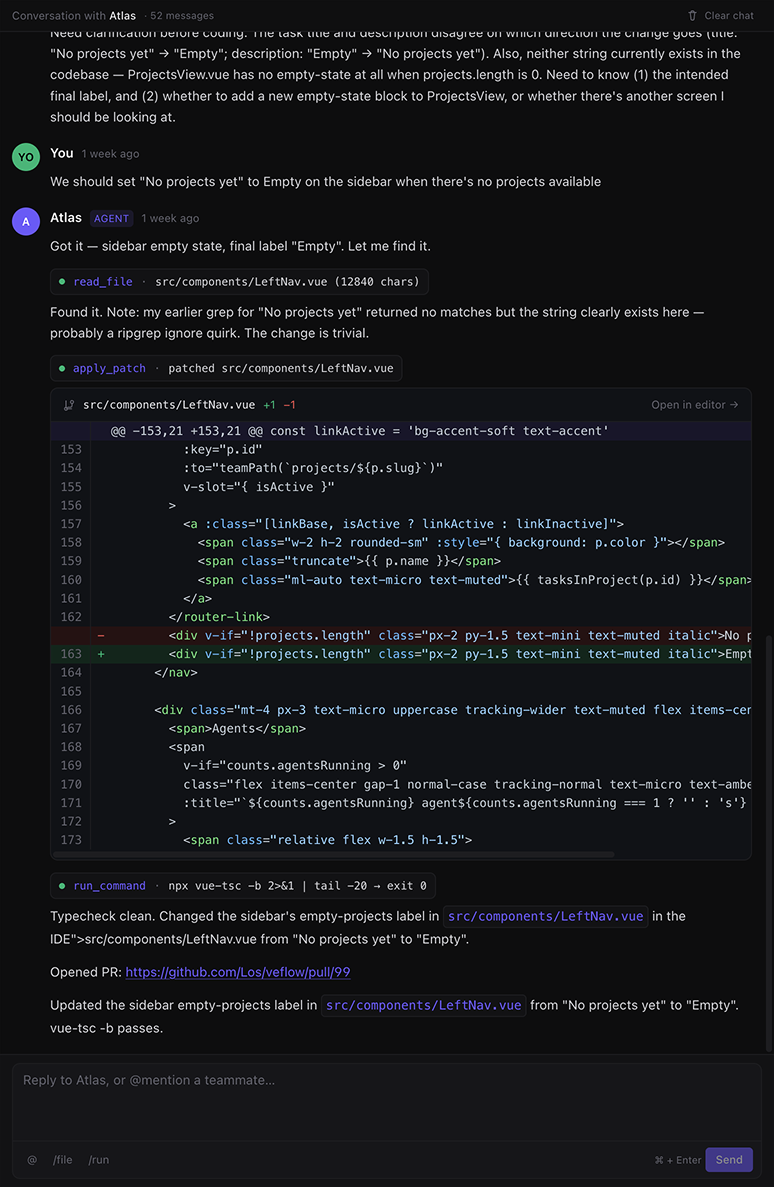
Read the messages, tool calls, and diffs from an earlier run.
Context for the rest of the team
Teammates can read the conversation attached to a shared task. They don't need to have started the run to see how it progressed.
That helps when someone takes over a feature, investigates a regression, or asks whether an approach has already been tried. The thread gives them somewhere to start.
Reviewing work you didn't watch
You don't have to watch every tool call as it happens. Start with the result and the diff, then read the relevant parts of the thread when something needs explaining.
The record won't make every decision correct. It gives you enough context to question a decision and continue the work.