

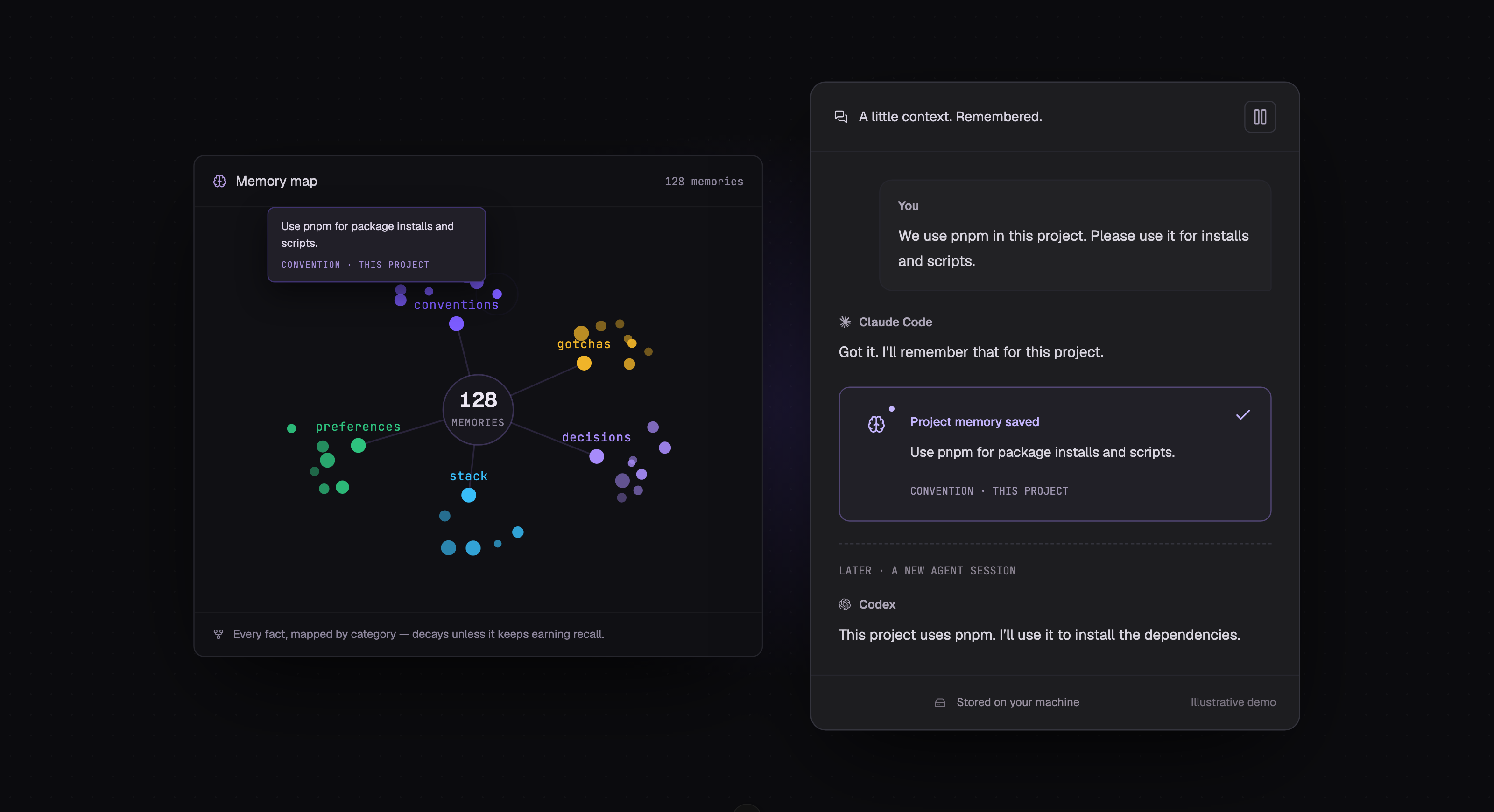
You tell an agent to use pnpm, explain where the shared components live, and point out a deployment quirk. Start another session and you may have to explain it all again.
Veflow Memory saves those details across sessions. Connected agents share the same store, so a convention saved by Claude Code can be recalled by Codex later.
How memory works
The desktop app stores memories in a local SQLite database under ~/.veflow/memory. A background process, memoryd, makes them available to agents through MCP.
The tools include memory_search, memory_add, memory_list, and memory_forget. Agents use them to find relevant context and save details for later.
At launch, a session receives a short brief of saved project decisions, conventions, and preferences. You can start with the task instead of repeating the project introduction.
A new session receives a brief with saved project context.
Sharing context between agents
Memory belongs to you and your project. Any connected agent can search the same store.
If Claude Code saves a naming convention, Codex can find it in a later session. That depends on the convention being saved and recalled; memory doesn't copy every conversation into every agent's context.
Claude Code connects out of the box. You can install the Codex connection from Memory settings, and other MCP-capable CLIs can connect to the same store.
Project and global memory
Project memory holds details specific to a repository: the stack, architectural decisions, team conventions, and known problems.
Global memory holds preferences you want to use across projects, such as code style or how you like changes explained.
The Memory panel shows both scopes. You can edit or remove entries there.
What gets saved and retained
Finished sessions are scanned for useful facts, such as a decision or a confirmed convention. Each saved memory has an importance weight and a strength score.
Recall reinforces useful memories. Entries that aren't used gradually lose strength, helping older context recede as the project changes.
The Memory Map groups entries by project and category. Select a memory to inspect its strength, age, and contents, or to edit, pin, or forget it.
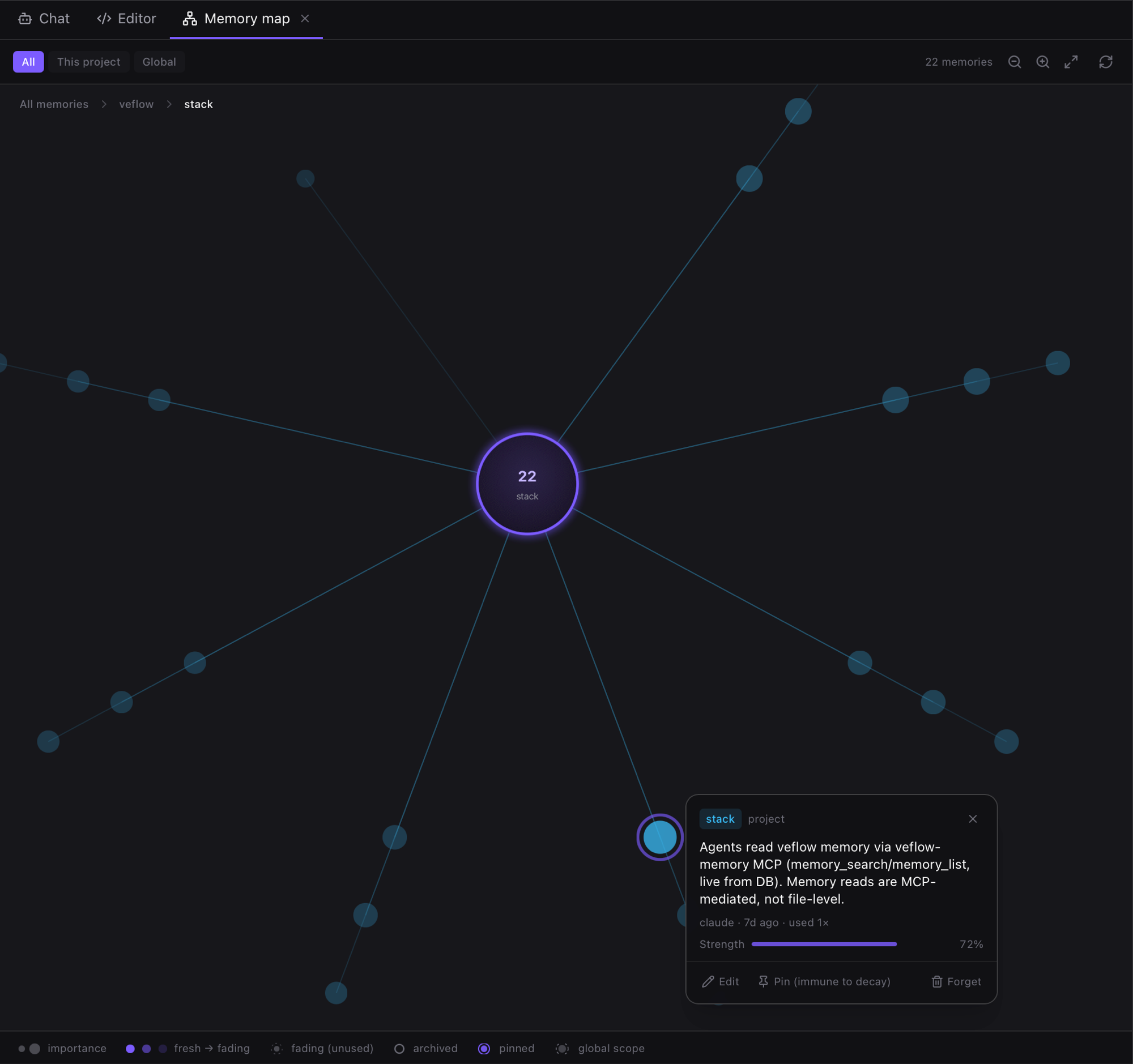
Select a memory to inspect its contents, strength, and age.
Where the data lives
Veflow stores the memory database on your machine. You can inspect the files, back them up, or delete them. There is no hosted Veflow memory database to configure.
When an agent recalls a memory, that text becomes part of its context. If the agent uses a hosted model, its provider processes that context under your agent's settings and terms.
Managing memory
Open the brain icon in the right sidebar to:
- Search saved facts.
- Edit an entry to correct it or add detail.
- Forget an entry or clear a scope.
- Turn memory off for a project or globally.
- Enable the native-memory mirror to bring Claude Code's on-disk memory writes into the shared store.
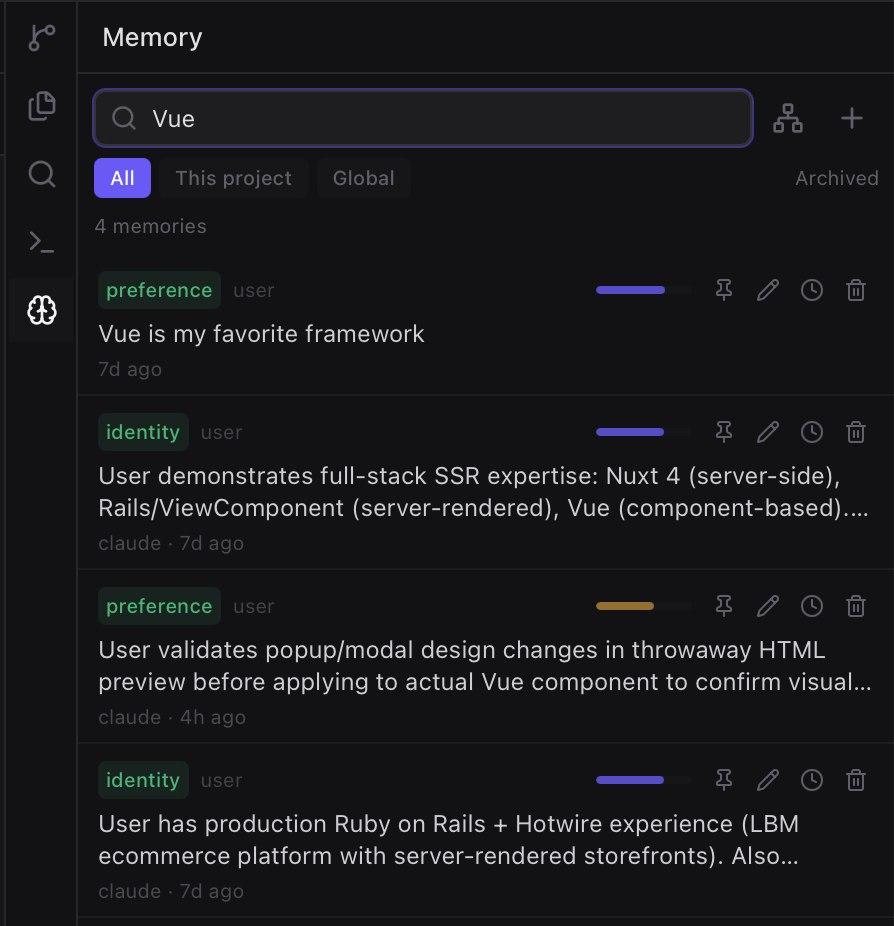
Search, edit, or forget saved facts from the Memory panel.
Try it in the desktop app
Open Memory settings to check your agent connections. Save a project convention, then start a new session and ask the agent to recall it.