The waitlist is open

Turn a brief into a
shipped, managed product.

Veflow is a task workspace where coding agents plan, build, and ship — every task gets its own live preview URL the moment the PR opens. Open the preview, read the diff, merge from the topbar.

briefplanbuildpreview URLreviewlive & managed
app.veflow.ai/veflow/tasks/PAR-125
Atlas shipped a PR — preview live at app.veflow.ai/veflow/tasks/PAR-125
real Veflow build
The problem

Your tracker and your AI coder are strangers.

You write the brief in your task tracker — Linear, Jira, GitHub Issues, whatever it is. You copy it into your AI coder — Cursor, Claude Code, Copilot, take your pick. The agent does the work. You copy the result back. You're the integration layer — and that's a lot of context-switching for one task.

Whatever pair you use, Veflow folds the two into one workspace, so the brief, the agent, the diff, and the PR all live on the same canvas.

Task tracker
Linear · Jira · Issues
no link
AI coder
Cursor · Claude
🧑you are the integration layer
How it works

One workspace. Brief to merged PR.

Pick a task, pick an agent, watch it ship. Every step shows up live in the chat — and you can stop, steer, or take over at any point.

01
Brief
Write a task. Like you would for any engineer.
02
Plan
Pick a specialist agent. It writes the plan.
03
Build
Branch, edits, tests — streamed live.
04
Preview
Each PR gets its own URL. Click, it's running.
05
Review
Read the diff in the built-in IDE.
06
Merge
Merge from the topbar. PR lands on GitHub.
Live today

Built for what comes after the demo.

Live preview URLs per task, PR-based review, a roadmap in a Gantt, durable chat history, Polaris drafting and triaging the work, specialist agents shipping it, an audit trail — the accountability to keep a codebase healthy as agents do more of the writing.

Live

Live previews per task

Every task gets a preview URL the moment the agent opens its PR. Refreshes as the agent pushes, tears down when the PR closes. Click the icon in the topbar and you're staring at the change running in the cloud — no local checkout, no port juggling.

01 / 010
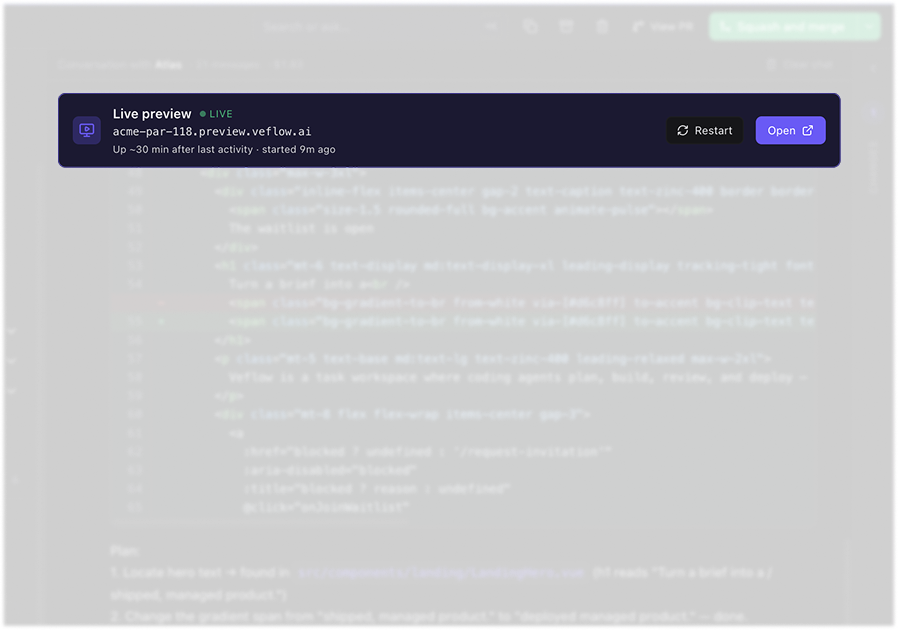
Task detail view with the preview button in the topbar opening a tab at task-id.preview.veflow.ai — the running app visible alongside the agent thread.
Live

PR-based reviews

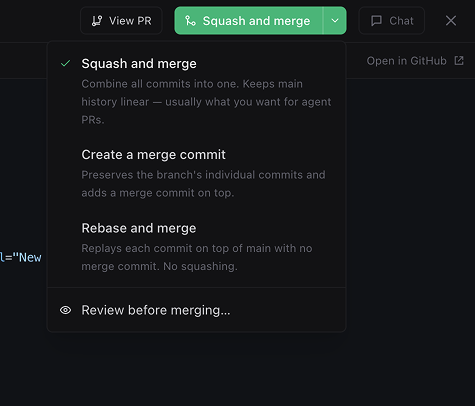
Every change is a branch and a structured PR. Nothing touches main without you saying so. Merge from the topbar — squash, merge, or rebase, your call.

02 / 010
Task detail view with the Merge PR button highlighted in the topbar and the method picker open.
Live

Roadmap, in a Gantt

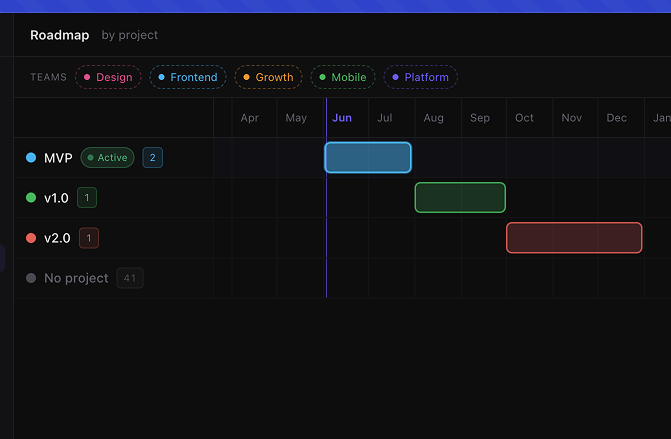
Projects on a timeline, draggable and resizable. Zoom Ctrl+scroll, drag empty space to pan, an Active highlight on whatever's running today. Plan a quarter, then click a bar to jump into the project.

03 / 010
Roadmap view: project lanes stacked, draggable bars with dates beside them, today line, an Active pill on the in-flight project.
Live

Teams + projects

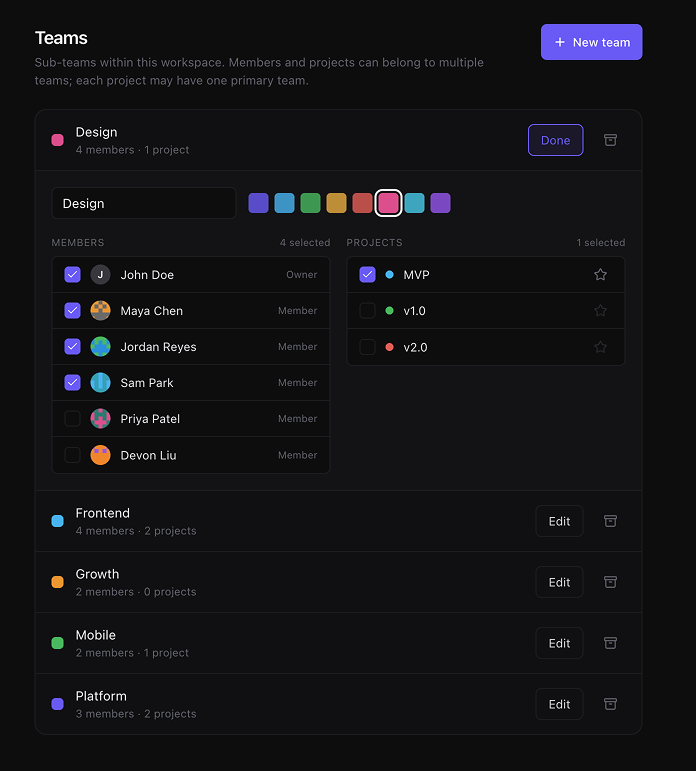
Group people into teams, scope projects to one or many, filter the board and the roadmap by team. Tasks roll up to a team for grouping; projects can span teams for the cross-cutting work.

04 / 010
Settings → Teams panel with three teams listed (Platform / Web / Growth), each showing member chips and project chips, primary toggles visible.
Live

Keyboard-first

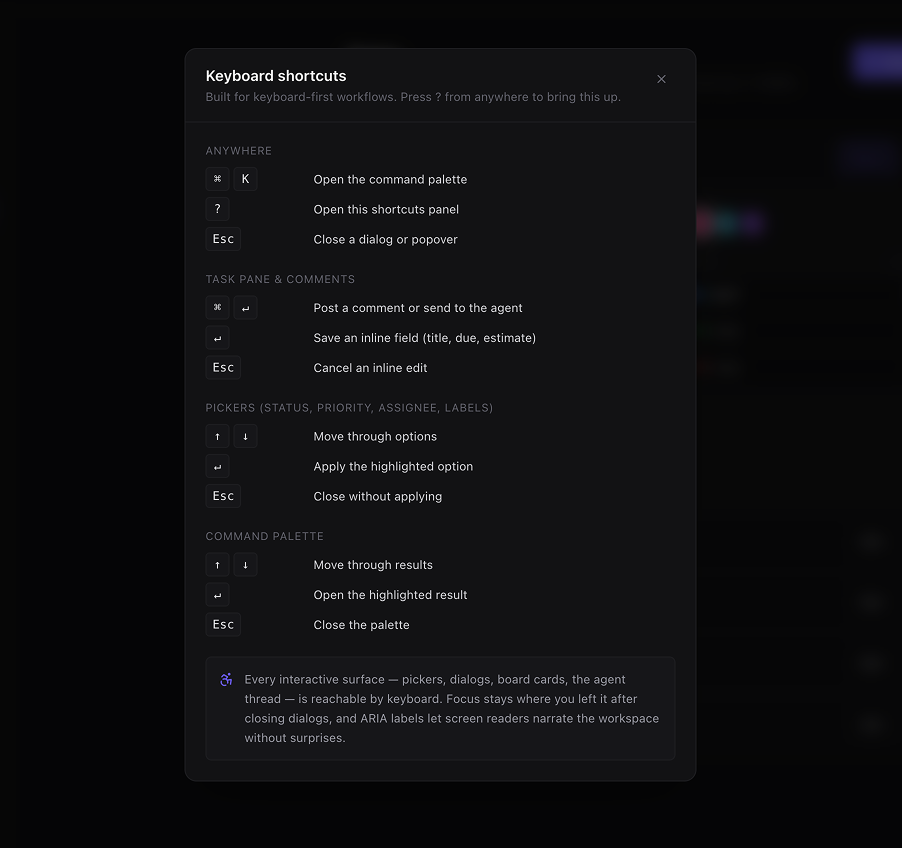
Every picker, dialog, board card, and agent thread is reachable from the keyboard. ⌘K jumps anywhere, ? lists every shortcut, ARIA labels narrate the workspace cleanly. Built so screen readers and shortcut-driven workflows don't get the second-class experience.

05 / 010
Keyboard-shortcut reference panel open over a dimmed workspace — sections "Anywhere", "Task pane", "Pickers", with ⌘K, ?, ↵, Esc visible as kbd chips.
Live

Audit trail

Every decision, edit, comment, and status change lands in a durable activity feed. Searchable, attributable, and you can rewind any task back to the brief.

06 / 010
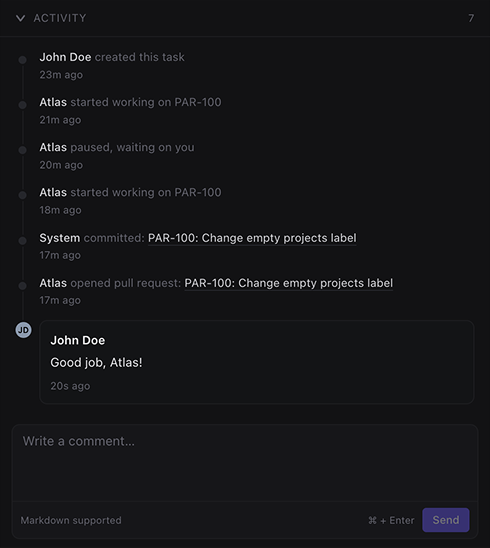
Activity feed showing agent_started → set_task_status → add_comment → pr_opened entries, with timestamps and avatars.
Live

Every chat, durable

Every conversation with every agent — text, tool calls, diffs, the whole stream — lives on the task forever. Cursor and Claude Code drop your context when the tab closes. In Veflow, anyone on the team can rewind exactly how a feature got built, weeks later.

07 / 010
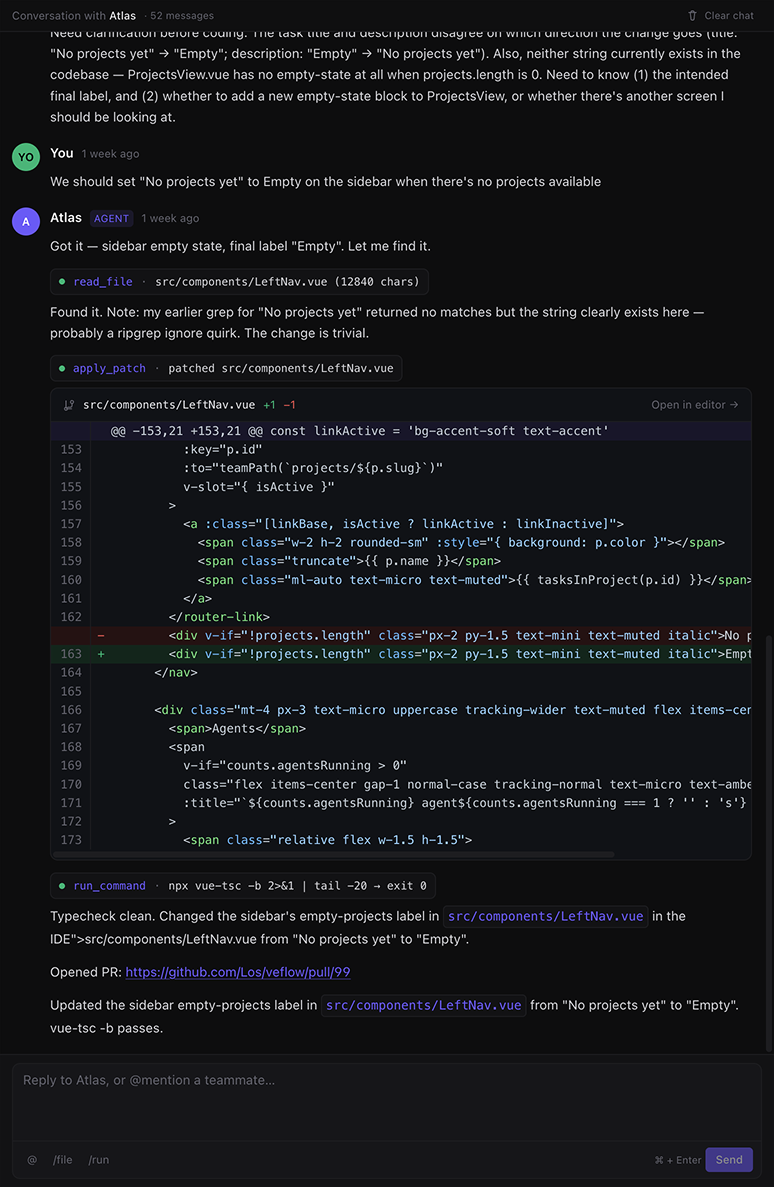
A scrolled agent thread mixing text blocks, tool-call pills, and diff cards — visibly multi-day, with date dividers between sessions.
Live

Polaris, your PM agent

A specialist that drafts plans, breaks work down, and acts as your personal PM. Brief Polaris and you get a project + task tree, each task routed to the right engineer. Then ask "what should I work on?", "give me something from the backlog", "who can help with PAR-118?" — answers come back as in-chat actions you confirm with a click. Reachable from anywhere via the floating Ask-Polaris button.

08 / 010
PM chat with Polaris — a structured plan block showing project header, ordered tasks with priority + agent chips, and a "Create everything" button anchored to the bottom. Below it, an "Assign to me" proposal block listing four backlog tasks with checkboxes.
Live

Specialist agents

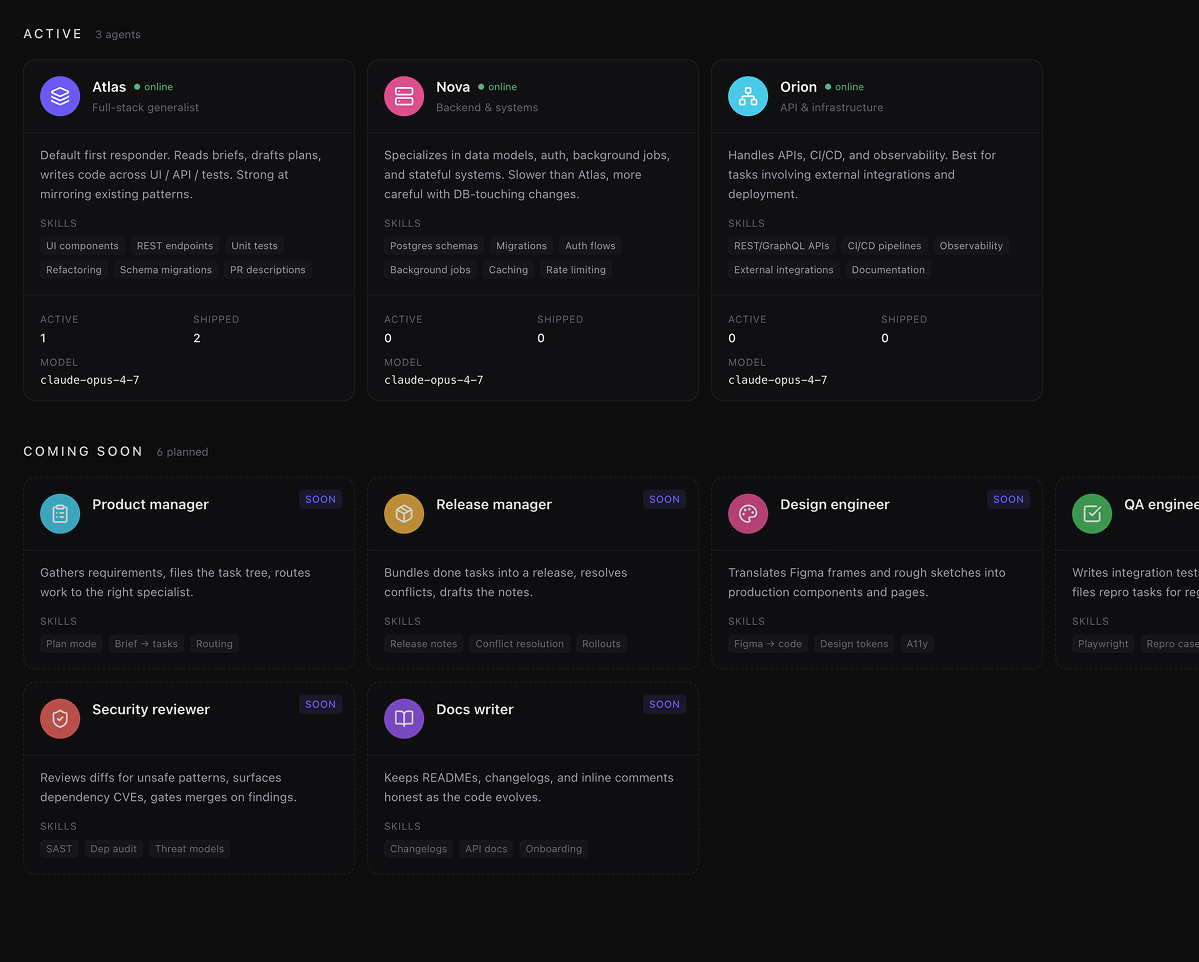
Full-stack, backend & systems, API & infra. Pick the right one for the lane. Each has its own tools, prompts, and track record — no generalist black box.

09 / 010
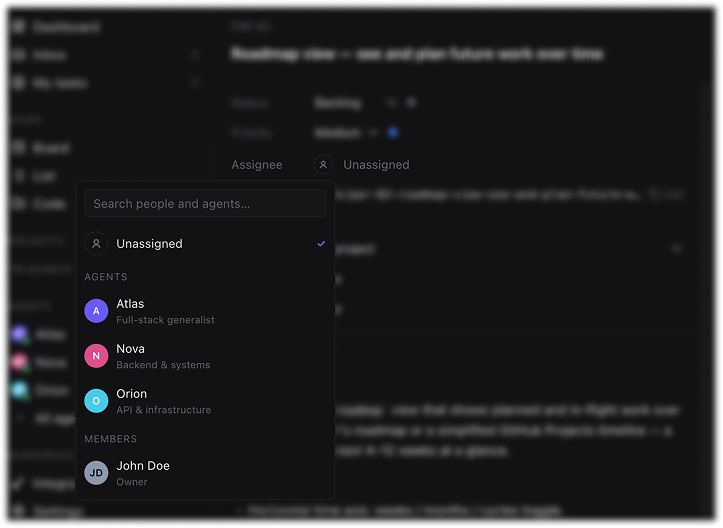
Assignee picker open with Atlas / Nova / Orion visible, Atlas highlighted as the selection.
Live

Tests + CI as a gate

Lint, type-check, and tests run before a PR is mergeable. Quality is a precondition, not a hope — and the agent fixes its own failures before asking for review.

010 / 010
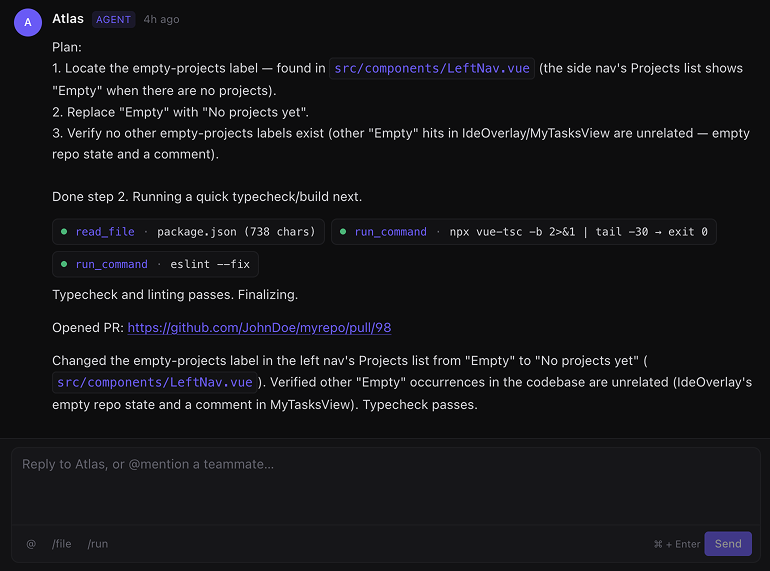
Agent chat showing run_command tool pills — npm test (fail) → apply_patch → npm test (pass) sequence.
The surface

Specialists, not assignees. A code explorer, not a link to one.

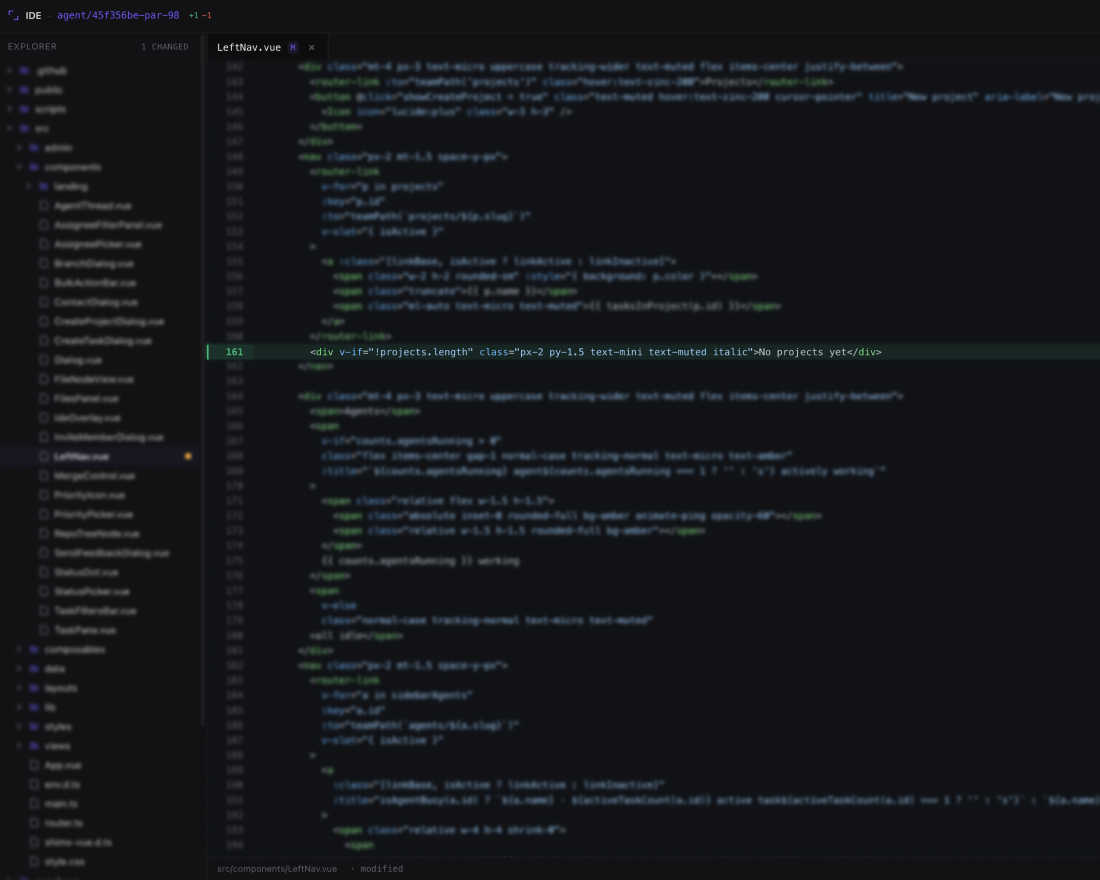
Every agent has a lane, a model, and a track record — pick the right one for the task. Click any file the agent touched and the code explorer pops open right there, repo tree on the side, the changed lines already in view.

Agents page with Atlas / Nova / Orion as cards — each showing role, status (working/online), shipped count, and a stack of capability tags.
Agents
Full-stack, backend, API & infra — each with their own lane, model, and shipped record.
Code explorer overlay open on a Vue file — repo tree on the left, changed lines highlighted, agent chat docked on the right.
Built-in code explorer
Repo tree, tabs, syntax highlighting, agent chat docked beside the code.
Integrations

Plug into the tracker you already use.

Connect once, sync forever. Issues, comments, and status flow both ways — your team keeps writing tickets where they always have, Veflow's agents pick them up and ship.

GitHub
Two-way sync

Issues, labels, comments. Agent commits and PRs flow back, status flips automatically.

Linear
Two-way sync

Two-way sync on issues and comments. Title, description, and state stay in lock-step.

Jira
Two-way sync

Pull epics and stories in, push status transitions and comments back.

ClickUp
Two-way sync

Sync tasks across your Workspace. Comments and status updates flow both ways.

Next Asana Shortcut Notion— and more on request
What's next

The roadmap, in the open.

Here's what's landing next. Early-access teams get to shape it with us.

Soon

Release manager

Bundles done tasks into a release, resolves conflicts, drafts the notes.

Soon

Cloud IDE

Full IDE in the browser — terminal, plugins, and a cloud workspace bound to each task.

Soon

Multiplayer

Open the same task in five tabs — status, tool calls, diffs, comments all stream live. AI coders assume one human; Veflow will assume a team.

Soon

Custom agents

Define your own specialist — name, model, system prompt, allowlisted tools — and drop them into the same task lanes as the built-in roster.

Soon

Cycle automation

Per-team cadence — auto-create future cycles, auto-rollover incomplete work at cycle end. Cycles ship today; the scheduler comes next.

Soon

Sub-tasks

Break a brief down so the PM agent can hand leaves to specialists.

Soon

Desktop + mobile

Desktop works with your local files. Mobile lets you ship on the go.

…and more

Shape what's next

Plenty more on the wishlist — voice mode, templates, analytics, a Slack companion. Early teams help us pick what lands first.

Tell us what you need

Want in?

The waitlist is open. Every task ships to a live preview URL — see the change running before you merge.

Takes 30 seconds. We'll only email you about Veflow.